Gunpla Haven
A modern e-commerce demo inspired by Gunpla culture, built to lower the barrier of entry for new builders.
Overview
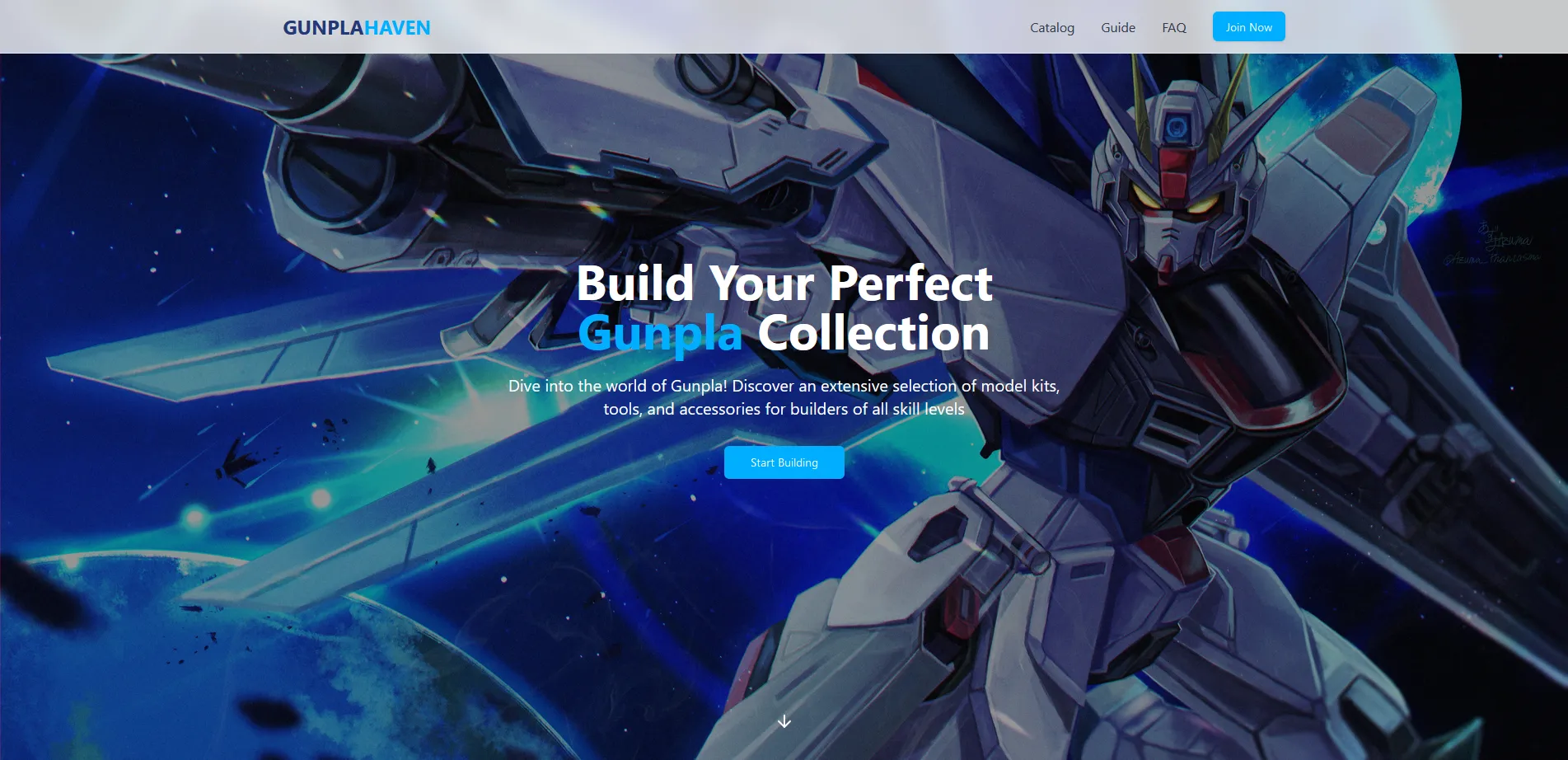
Gunpla Haven started as a way for me to truly understand web development by building something end-to-end. When I first set out to learn full-stack development, my biggest roadblock was figuring out what to build. I wanted a project that was complex enough to matter, but familiar enough that I could focus on learning how the pieces fit together—frontend, backend, database, and deployment.
Gunpla felt like the natural choice. It was a hobby I spent a lot of time with throughout high school and early college, and something I already understood deeply. That familiarity let me focus less on what the app needed to do, and more on how to actually build it.
This became my first real personal project and a foundational step in understanding CRUD applications, modern frontend tooling, and backend services.
The Motivation
I have always been a fan of the Gundam series, and building Gunpla was something I found surprisingly peaceful. The process of assembling kits, paying attention to small details, and eventually displaying a finished model was mentally satisfying in a way that is hard to explain unless you have done it yourself.
As I started planning this project, I realized there were a few consistent problems in the space—especially for newcomers.
Gunpla is still largely rooted in Japanese markets, and in the West it tends to live in niche corners of hobby shops or anime stores. New builders often face a steep learning curve: confusing kit labels, unclear difficulty levels, limited access to tools, and the need to dig through forums just to understand where to start. Not everyone has a dedicated hobby shop nearby, and even when kits are available, they are often sold without context or guidance.
That friction became the core problem I wanted to design around.
The Idea
Gunpla Haven was envisioned as a one-stop shop—not just for purchasing kits, but for learning how to build them.
The goal was to create an experience where a user could:
- Browse kits with clear categorization and difficulty indicators
- Purchase essential tools alongside models
- Learn the basics through embedded guides and beginner-friendly resources
Another challenge I wanted to address was how confusing kit pricing and complexity can be. Some simple kits are expensive due to rarity, while more complex kits can be cheaper due to mass production. Without prior knowledge, it can be overwhelming to tell what is appropriate for a beginner versus an experienced builder.
This project gave me a chance to think about how product information, UI, and structure can reduce cognitive overload for users.
Building the Project
From a technical standpoint, this was my first time taking a project from idea to deployment.
I started by defining a small MVP and mocking up layouts in Figma. From there, I used React to build out a standard e-commerce flow and incrementally added features as I learned. The goal was not perfection, but momentum—shipping something functional and improving it piece by piece.
Supabase ended up being a great fit for this project. It allowed me to focus on application logic rather than infrastructure, while still learning important concepts like authentication, database schemas, and access control.
Features
Authentication & User Management
- Email and password-based authentication
- Protected routes for authenticated users
- Persistent sessions for a smooth browsing experience
Shopping Experience
- Product filtering by grades (HG, RG, MG, PG)
- Add, remove, and update items in the cart
- Cart persistence for both guest and logged-in users
Product Information & Learning
- Detailed product pages with descriptions and imagery
- Beginner-focused resources and FAQs embedded into the experience
Demo Checkout
- Simulated checkout flow with address and payment inputs
- No real payments processed; the flow exists purely for demonstration
Tech Stack
Frontend
- React for component-driven UI development
- TypeScript for type safety and maintainability
- Vite for fast builds and development iteration
- Tailwind CSS for responsive, utility-first styling
Backend & Services
- Supabase for authentication, database management, and hosted backend services
- React Context API for global state management (auth and cart state)
What I Learned
Gunpla Haven taught me how all parts of a modern web application connect. More importantly, it showed me the value of choosing a project space I genuinely cared about. Because I already understood the domain, I could focus fully on learning how to design systems, structure data, and build user experiences that feel intentional.
This project laid the groundwork for how I now approach personal projects: start small, build something real, and let curiosity drive the complexity. (Worth mentioning that the supabase’s data I had for the project is offline so no prodcuts are seen.)